 Klip
Klip
Live timer & widgets
Start and stop with one tap. Live Activity on iPhone, a timer in the Mac menu bar, and home- and desktop widgets with a start/stop button – without opening the app.
Klip is time tracking for freelancers that just works: start the timer, bill projects, create invoices – local, fast and distraction-free.
Available now for Mac · iPhone & iPad coming soon
One-time €19.99 for Klip Pro · start for free · no subscription
Screenshots
The same design on iPhone and Mac – in sync, fast, uncluttered.
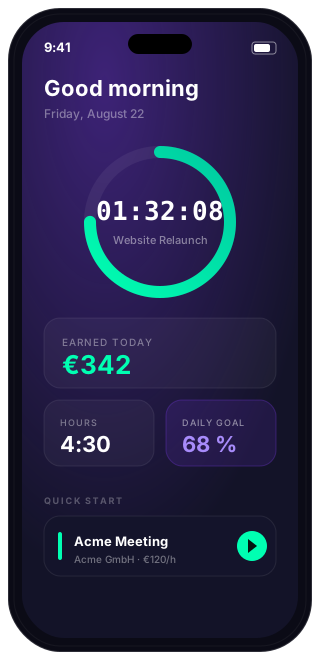
iPhone · Dashboard & timer
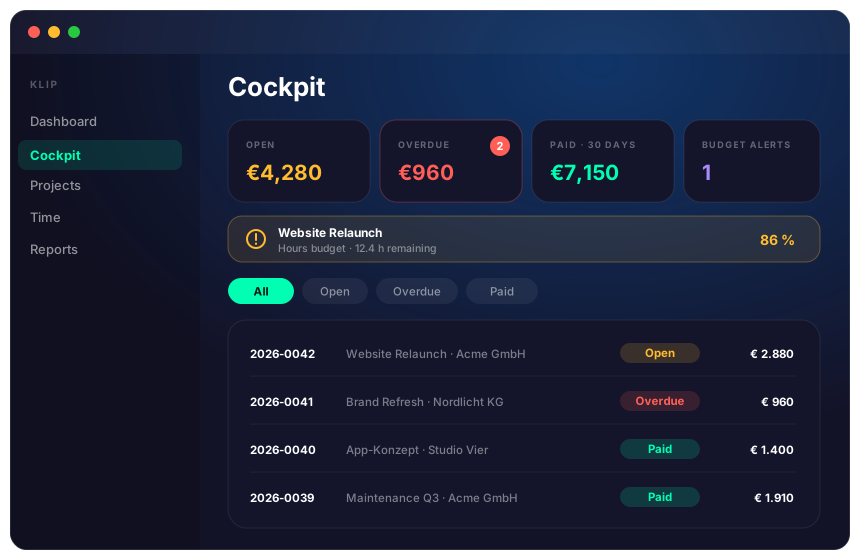
Mac · Cockpit & budget alerts
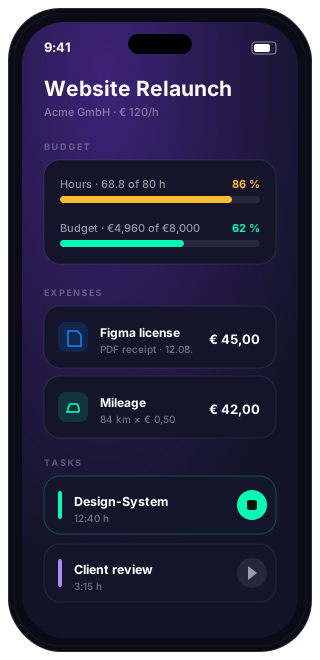
iPhone · Budget & expenses
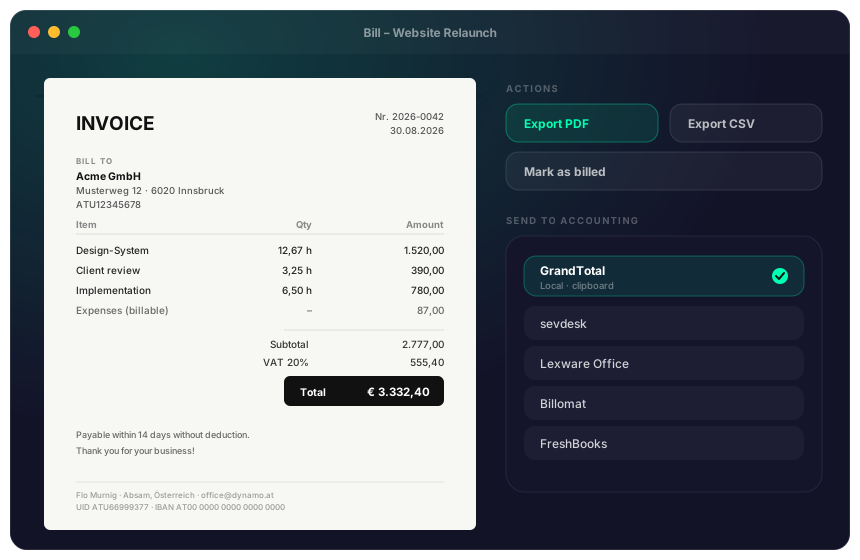
Mac · Invoice & accounting hand-off
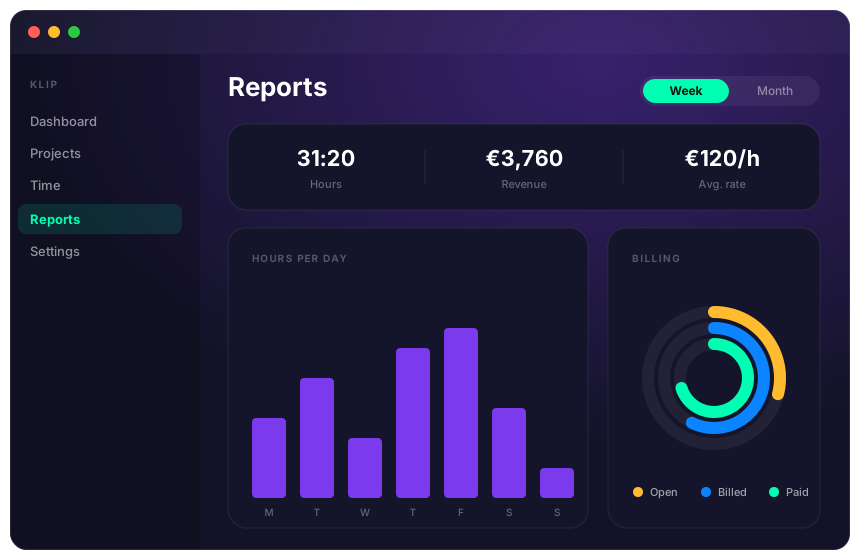
Mac · Reports & billing status
Features
From the first second to the finished invoice – Klip covers the whole workflow.
Start and stop with one tap. Live Activity on iPhone, a timer in the Mac menu bar, and home- and desktop widgets with a start/stop button – without opening the app.
Organize your work by client and project, with individual tasks, hourly rates, daily goals and optional deadlines. Import clients from Contacts and tasks straight from your calendar.
Turn tracked time into a finished invoice in one click – with your sender details, VAT, invoice numbers, your client’s VAT ID, a note, A4 crop marks and an optional terms PDF appended.
One place for every invoice: open, overdue, paid in the last 30 days. With filters, status pills and “Mark as paid” right from the list.
Set an hours and/or euro budget per project. Klip warns you at 80 % and flags every project that runs over budget – visible in the cockpit and in the project itself.
Track expenses per project. A PDF receipt is read on device – amount, date and merchant come pre-filled. Mileage is calculated from distance × rate.
Hours per day, weekly revenue and billing status as rings. See every single entry per task – exportable as CSV and PDF.
Send finished invoices to GrandTotal (locally via the clipboard), sevdesk, Lexware Office, Billomat or FreshBooks. Credentials stay in your keychain and nothing is sent without your consent.
Your data syncs through your own iCloud account across iPhone, iPad and Mac – and can be turned off. On top of that, Klip backs up automatically to a folder of your choice.
How it works
Tap or swipe a project card – the clock runs. Klip tracks to the second, even in the background.
Open a task, see every entry in the chart, and adjust start, end or note afterwards.
Bill the project, export a PDF, mark it paid – or hand it straight to your accounting. Revenue lands in the cockpit.
Free & Pro
The full feature set is visible – free users see every finished invoice and report. Pro unlocks export and actions.
| Feature | Free | Pro |
|---|---|---|
| Time tracking | unlimited | unlimited |
| Clients | max. 1 | ∞ |
| Active projects | max. 3 | ∞ |
| View cockpit, budgets & reports | ✓ | ✓ |
| View invoice (preview) | ✓ | ✓ |
| iCloud sync | ✓ | ✓ |
| Manual backup | ✓ | ✓ |
| Edit time entries afterwards | – | ✓ |
| Invoice export (PDF/CSV) & billing | – | ✓ |
| Report export | All time · CSV | + week/month + PDF |
| Expenses, receipts & mileage | – | ✓ |
| Import from Contacts & Calendar | – | ✓ |
| Hand off to accounting tools | – | ✓ |
| Automatic backup | – | ✓ |
| Search, filter & sort | – | ✓ |
Price
No subscription, no hidden costs. Your data belongs to you.
Free forever
No subscription · all future updates
FAQ
Download Klip and start for free. Upgrade to Pro whenever you like.